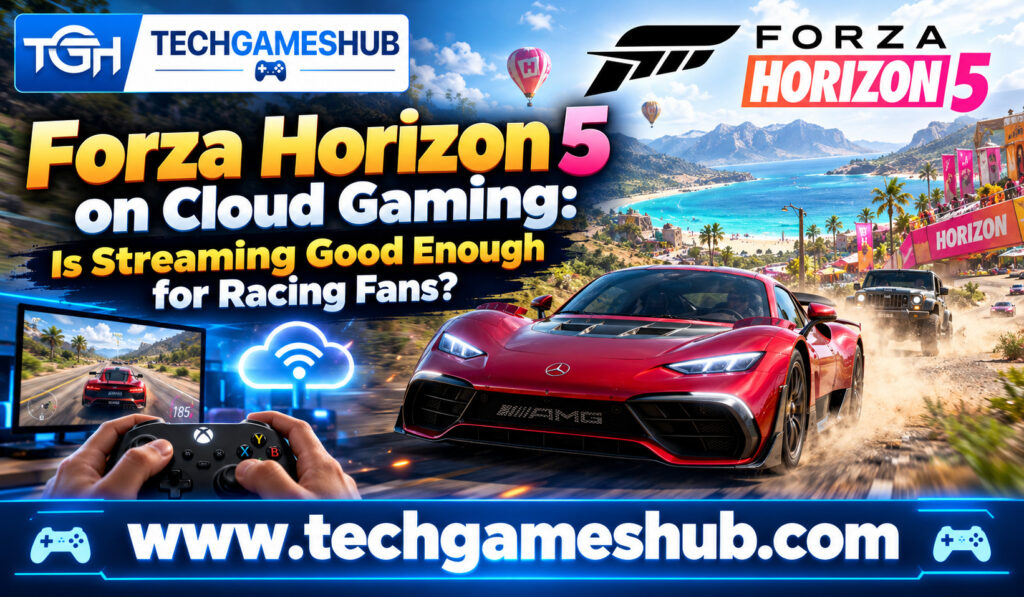
Imagine driving a high-performance supercar through the beautiful landscapes of Mexico without downloading a massive game or owning an expensive gaming PC. That’s the appeal of Forza Horizon 5 on cloud gaming. Instead of running the game directly on your device, you stream it from a remote gaming server and control the action using a compatible controller.
For racing fans, this sounds like an ideal way to enjoy one of the most visually impressive open-world driving games. You can explore the map, participate in races, collect cars, and experience the excitement of high-speed driving without worrying as much about your device’s processing power or available storage.
However, cloud gaming comes with an important trade-off: your experience depends heavily on your internet connection, streaming quality, and input responsiveness. Even a small delay can affect how confidently you handle sharp corners or react during competitive races.
So, is streaming Forza Horizon 5 good enough for racing fans? Let’s explore its advantages, limitations, setup requirements, and the situations where cloud gaming makes the most sense.
What Is Forza Horizon 5 Cloud Gaming?
Forza Horizon 5 is an open-world racing game developed by Playground Games and published by Xbox Game Studios. Set in a fictionalized version of Mexico, it lets you drive hundreds of vehicles across different environments, including deserts, forests, beaches, highways, and mountain roads.
Unlike traditional racing simulators that focus primarily on structured circuits, Forza Horizon 5 combines competitive races with exploration, vehicle customization, seasonal events, and an open-world festival atmosphere.
Cloud gaming lets you experience the game without requiring your local device to run the entire game. The game executes on remote hardware, while your device receives a video stream and sends your controller inputs back to the server.
Xbox Cloud Gaming is one option for playing supported titles this way. However, availability depends on the current game catalog, subscription plan, device, and supported region. You should check the official Xbox Cloud Gaming website before subscribing.
How Cloud Streaming Works
When you press the accelerator on your controller, your input travels through the internet to the remote gaming system. The server processes the action, renders the next frame, and sends the updated video back to your screen.
This happens continuously while you play.
With a stable connection, the process can feel remarkably smooth. You can accelerate, drift, explore, and participate in races without installing the full game locally. However, network delays can introduce input lag, while connection fluctuations may cause image compression or stuttering.
That difference is particularly important in a racing game, where your timing and steering inputs directly affect your performance.
Can GeForce NOW Run Black Myth: Wukong?
How to Play Forza Horizon 5 on Cloud Gaming
Getting started is relatively simple if you have a supported device, a compatible controller, and a reliable internet connection.
Step 1: Check Game and Regional Availability
Visit the official Xbox Cloud Gaming website and confirm that Forza Horizon 5 is currently available to stream in your region. Game catalogs and subscription benefits can change, so don’t assume that every Game Pass plan automatically includes cloud access to every title.
If you already own the game, check whether it is supported through Xbox’s stream-your-own-game feature. Only selected purchased games are eligible.
Step 2: Choose a Compatible Device
You can access Xbox Cloud Gaming on supported Windows PCs, smartphones, tablets, select smart TVs, and other compatible devices. On a PC, you can generally play through a supported browser or the appropriate Xbox application.
You don’t need a high-end graphics card because the remote server runs the game. However, your device still needs to decode the incoming video stream smoothly.
Step 3: Connect a Controller
A compatible Xbox controller is a good choice because racing games benefit from analog steering and adjustable trigger inputs. Bluetooth and USB connections are supported on compatible devices.
A controller makes it easier to control acceleration, braking, steering, and drifting than using a touchscreen alone.
Step 4: Start Streaming
Sign in with the required account, select the game, and launch the cloud session. Once the stream starts, you can enter the open world, choose an event, and begin driving.
Before attempting a difficult race, spend a few minutes testing steering responsiveness and braking. This helps you determine whether your connection is stable enough for the type of racing you want to enjoy.
Is Cloud Gaming Good Enough for Racing Fans?
The short answer is yes, provided your connection is stable and your expectations match the limitations of streaming. For casual racing and exploration, cloud gaming can offer an enjoyable experience. Competitive players and those who demand consistently low input latency may still prefer local hardware.
Open-World Driving Feels Natural
One of Forza Horizon 5’s biggest strengths is its freedom. You can cruise through Mexico, discover new roads, explore different environments, and enjoy the scenery without constantly competing against other drivers.
These activities are generally more forgiving of small input delays than precision-focused competitive racing. If you mainly want to explore the world, discover vehicles, or enjoy relaxed driving sessions, streaming can be a practical option.
Racing Events Depend on Responsiveness
During races, you need to brake at the right moment, follow the racing line, overtake opponents, and react quickly to unexpected situations.
Input lag can make the car feel less responsive than it would when running locally. You might brake slightly later than intended or struggle to place your vehicle accurately through a tight corner.
A good cloud connection can reduce these problems, but it cannot guarantee the same consistency as a well-performing local setup. Your distance from the server, network routing, Wi-Fi interference, and congestion all influence the result.
Visual Quality Can Vary
Forza Horizon 5 is known for its detailed environments, lighting, weather effects, and vehicle models. Cloud streaming can preserve much of the visual appeal, but the image is compressed before it reaches your screen.
Fast-moving scenery, dust, foliage, and rapid camera movements can reveal compression artifacts. You may also experience reduced image clarity when the connection becomes unstable.
On a smaller phone screen, these compromises may be less noticeable. On a large monitor or television, you might notice them more easily.
Internet Requirements for Forza Horizon 5 Cloud Gaming
Your internet connection is one of the biggest factors determining whether streaming feels enjoyable or frustrating.
Xbox’s published cloud gaming guidance recommends a minimum download speed of approximately 10 Mbps for mobile devices and 20 Mbps for PCs, consoles, and tablets, with a 5 GHz Wi-Fi connection recommended. These are baseline recommendations, not guarantees of ideal racing performance.
Why Stability Matters More Than Speed Alone
A fast connection can still produce poor results if it suffers from high latency, packet loss, or frequent fluctuations. Racing games need a consistent connection because every steering or braking input must reach the remote server promptly.
For example, a stable 30 Mbps connection may deliver a better experience than a faster connection that repeatedly experiences lag spikes. The precise outcome depends on your network and the streaming service.
For a better experience, follow these practical steps:
- Use a stable 5 GHz Wi-Fi connection or Ethernet where possible.
- Pause large downloads and bandwidth-heavy activities on your network.
- Position yourself close to your router if you’re using Wi-Fi.
- Choose a compatible server region with good network routing whenever the service supports regional selection.
If you’re playing over mobile data, check your coverage and data allowance. Long gaming sessions can consume significant data, depending on the stream’s resolution, bitrate, and duration.
Cloud Gaming vs. Downloading Forza Horizon 5
Both approaches let you enjoy the same core racing experience, but the technical differences can affect your decision.
| Feature | Cloud Gaming | Local Installation |
| Game download | No full local installation required | Large download required |
| Hardware requirements | Modest compatible device | Device must meet game requirements |
| Storage space | Minimal local game storage | Significant storage required |
| Internet dependency | Essential during streaming | Primarily needed for online features and updates |
| Input responsiveness | Depends on network latency | Depends mainly on local hardware and display |
| Image quality | Depends on streaming conditions | Depends on hardware and graphics settings |
| Convenience | Easy to start on supported devices | Requires installation and setup |
Cloud gaming is especially attractive if your computer has limited storage or lacks a dedicated graphics card. You can try the game on a compatible device without downloading the complete installation.
Local gaming is usually preferable when you want the most consistent response, predictable image quality, and the ability to play without a continuous internet connection.
Neither option is automatically better for everyone. Your priorities, hardware, and network conditions determine which approach offers greater value.
Best Settings and Tips for Smoother Streaming
You may not be able to adjust every graphics option when using a cloud service, but you can improve your overall setup.
Use a Wired or Reliable Wireless Connection
If your device supports Ethernet, a wired connection can reduce interference and improve consistency. Otherwise, connect to a reliable 5 GHz Wi-Fi network and avoid playing too far from your router.
Reduce Unnecessary Network Activity
Video streaming, large downloads, cloud backups, and other bandwidth-intensive tasks can compete with your gaming session. Pausing these activities may help stabilize the connection.
Choose the Right Display
A responsive monitor or television can make steering feel more immediate. If your display has a gaming mode, enabling it may reduce the display’s own processing delay.
Keep in mind that a gaming display cannot eliminate latency introduced by the internet and cloud server.
Test Before Competitive Races
Start with free driving or a less demanding event. Check whether the car responds consistently when you accelerate, brake, and change direction.
If you notice repeated stutters or delayed inputs, troubleshoot your network before attempting more challenging races.
Who Should Play Forza Horizon 5 Through the Cloud?
Cloud streaming makes the most sense for players who value convenience over absolute technical consistency.
It’s a strong option if you want to try the game without installing it, play on a supported device away from your main gaming setup, or enjoy casual racing without investing in powerful hardware.
It’s also useful when you have limited storage or want to switch between supported screens. Xbox’s cloud gaming ecosystem supports several device categories, although availability and features differ by region and device.
However, if you compete seriously, use advanced driving techniques, or are particularly sensitive to input delay, a local installation may be the better choice. A stable cloud connection can provide excellent results, but network performance remains outside your complete control.
Warzone Cloud Play: What You Need to Know
Frequently Asked Questions
1. Can You Play Forza Horizon 5 on Cloud Gaming Without Downloading It?
Yes. If the game is currently supported by your cloud service and region, you can stream it without downloading the full game to your device.
2. Do You Need a Gaming PC for Forza Horizon 5 Cloud Gaming?
No. You need a compatible device capable of running the cloud gaming interface and decoding the stream. The remote server handles the game’s main processing.
3. Is Forza Horizon 5 Cloud Gaming Good for Competitive Racing?
It can work for casual and some competitive races, but network latency and inconsistent connections may affect precise steering and braking. Local play generally provides more predictable responsiveness.
4. Can You Play Forza Horizon 5 on Your Phone?
Yes, through a supported cloud gaming service and compatible device. A controller is recommended for a more comfortable racing experience, and regional availability still applies.
5. What Internet Speed Is Best for Cloud Racing?
Xbox recommends around 20 Mbps for PCs and tablets as a baseline. A stable connection with low latency and minimal packet loss is also important for smooth racing.
Conclusion
Forza Horizon 5 on cloud gaming is good enough for many racing fans, especially if you enjoy open-world exploration, casual races, and the convenience of playing without installing a large game. You can experience Mexico’s landscapes and exciting driving events on supported devices without needing a powerful gaming PC.
However, streaming is not completely free from compromises. Input lag, compressed visuals, and network instability can affect demanding races, particularly when precise braking and steering matter.
If you have a stable connection, a compatible controller, and realistic expectations, cloud gaming is well worth trying. If your priority is the most consistent racing performance possible, local installation remains the safer choice. Ultimately, the best way to decide is to test the stream on your own network and see whether the driving experience feels right for you.