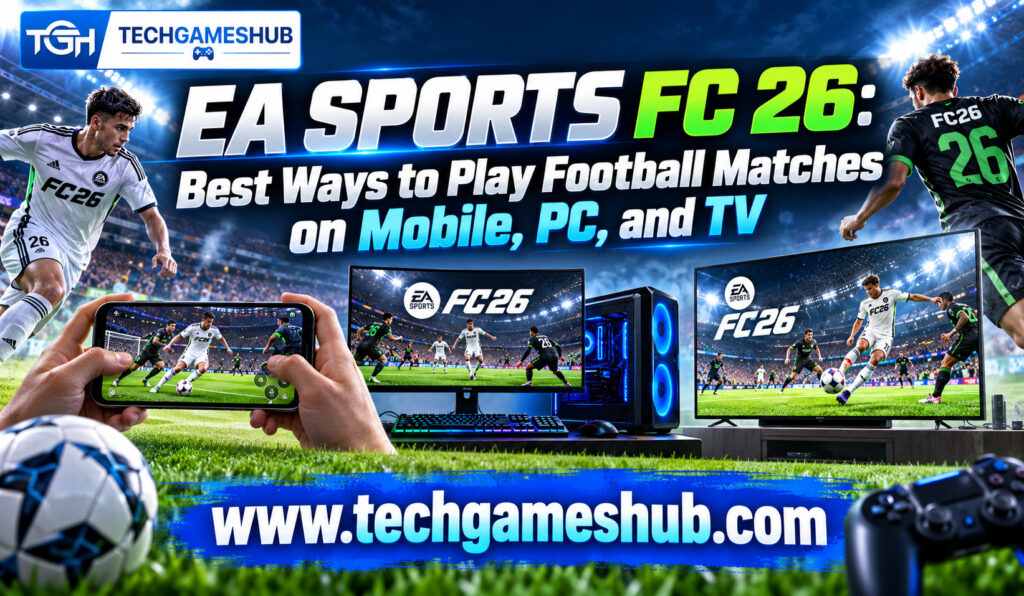
If you love football games, EA Sports FC 26 gives you multiple ways to enjoy virtual matches, build your dream team, and compete against friends. Whether you prefer playing on a gaming PC, using your smartphone during a break, or enjoying matches on a large television, you can choose an experience that suits your device and playing style.
Released on September 26, 2025, EA Sports FC 26 is available on PlayStation 5, PlayStation 4, Xbox Series X|S, Xbox One, PC, Nintendo Switch, Nintendo Switch 2, and Amazon Luna. EA also released an updated version of EA Sports FC Mobile for mobile players. The main console and PC game is different from the mobile edition, so choosing the right version is important.
In this guide, you’ll discover the best ways to play EA Sports FC 26 on mobile, PC, and TV, including cloud gaming, remote play, controller options, and tips for smoother matches. You’ll also learn which methods require a game purchase or subscription so you can choose without wasting money.
What Is EA Sports FC 26?
EA Sports FC 26 is a football simulation game from Electronic Arts. It lets you control footballers, manage teams, compete in matches, and explore different game modes based on your interests.
You can build a squad in Football Ultimate Team, manage a club in Career Mode, or compete online against other players. The game introduces two gameplay presets: Competitive, designed for more responsive matches in modes such as Ultimate Team and Clubs, and Authentic, designed to provide a more realistic football experience in modes such as Career.
These options give you flexibility depending on whether you prefer competitive online matches or a more traditional football simulation.
EA Sports FC 26 vs. EA Sports FC Mobile
Before choosing your device, understand that the main EA Sports FC 26 game and EA Sports FC Mobile are separate experiences.
The full game is designed for supported consoles and PCs, with additional access through selected cloud gaming services. EA Sports FC Mobile is designed for compatible smartphones and tablets, with touch controls and gameplay systems adapted for mobile devices.
If you want the full console-style football experience on a phone, cloud gaming or remote play may be suitable. If you want a game designed specifically for touchscreen controls, the mobile edition is the simpler option.
Best Ways to Play EA Sports FC 26 on Mobile
Your smartphone can provide several ways to enjoy football gaming. The best method depends on whether you want a mobile-native game or the full console and PC experience.
1. Play EA Sports FC Mobile
The easiest way to play football on your smartphone is to install EA Sports FC Mobile through the official Google Play Store or Apple App Store, where available.
The mobile game offers football matches, squad-building activities, player progression, and competitive events. Its touchscreen controls are designed for phones, so you don’t need a separate controller to get started.
This is a practical choice if you want to play while travelling, during breaks, or whenever you don’t have access to a console or computer.
However, EA Sports FC Mobile is not simply the full EA Sports FC 26 console game running on your phone. Its features, modes, progression, and controls differ from those of the main release.
2. Stream the Full Game Through Xbox Cloud Gaming
If you want to play the full EA Sports FC 26 experience on a compatible phone, Xbox Cloud Gaming is an option worth considering.
EA Sports FC 26 is available through Xbox Cloud Gaming with an eligible Xbox Game Pass Ultimate subscription and the required game access.
To get started, sign in to your Xbox account using a supported device and open the game through the cloud gaming service. Depending on device support and the current service setup, you can play through a browser or compatible application.
A compatible controller is recommended for a better football gaming experience. Touch controls may not be available for every game or device.
Cloud gaming also depends heavily on your internet connection. If your connection is unstable, passes may respond slowly, and online matches can feel less responsive.
3. Use Remote Play From Your Console
If you already own a compatible PlayStation or Xbox console and have EA Sports FC 26 installed, remote play can let you stream gameplay to a supported mobile device.
For example, PlayStation Remote Play allows you to stream supported PS4 and PS5 games to compatible devices over a network. Xbox Remote Play similarly allows supported console games to be streamed to compatible devices.
The advantage is that you’re using your existing console rather than paying for a separate cloud gaming PC. You must configure remote play correctly, keep your console available as required, and meet the relevant network and device requirements.
Remote play is particularly useful when someone else is using the television or you want to continue playing from another room.
Best Ways to Play EA Sports FC 26 on PC
PC gaming is an excellent choice if you want flexible graphics settings, keyboard and controller options, and access to the main version of EA Sports FC 26.
1. Install the PC Version
You can purchase and install EA Sports FC 26 through supported PC storefronts, including the EA app, Steam, and Epic Games Store.
The PC version offers a familiar football experience with controller support and configurable graphics options. You can use a compatible gamepad or keyboard controls, although many players prefer a controller for passing, dribbling, and shooting.
Your computer must meet the game’s system requirements. EA’s published PC requirements list Windows 10 or Windows 11, 8 GB of RAM, and a compatible graphics card as part of the minimum specification. Check the current requirements carefully before buying, especially if you’re using an older laptop.
2. Use Cloud Gaming on a Low-End PC
If your computer struggles to run demanding games, cloud gaming can help you enjoy EA Sports FC 26 without upgrading your graphics card.
Xbox Cloud Gaming supports streaming the game through an eligible subscription and the required game access. Your computer handles the stream rather than rendering the full game locally.
Visit the official Xbox cloud gaming listing to confirm availability in your region. Cloud gaming catalogues, subscription conditions, and supported devices can change.
Keep in mind that GeForce NOW and other services should not be assumed to support EA Sports FC 26. Always check the current game catalogue before purchasing a subscription.
3. Choose the Right Controller and Settings
A compatible controller is often the most comfortable way to play EA Sports FC 26 on PC. It gives you direct access to movement, passing, shooting, defending, and skill moves.
If your PC is close to the minimum requirements, lower graphics settings where necessary to improve performance. Close unnecessary background applications and make sure your graphics drivers are up to date.
For online matches, a stable internet connection matters as well. Performance problems can come from local hardware limitations, network latency, or server conditions, so identify the cause before changing multiple settings.
Best Ways to Play EA Sports FC 26 on TV
Playing on a television gives you a larger view of the pitch and makes local multiplayer more enjoyable. You have several options depending on the hardware you already own.
1. Play on PlayStation or Xbox
A compatible PlayStation or Xbox console is one of the most straightforward ways to enjoy EA Sports FC 26 on a TV.
Connect your console to the television, install the game, connect your controller, and launch a match. You can play Career Mode, Ultimate Team, and other available modes according to your platform and game access.
If you want to play online, additional platform subscription requirements may apply. For example, PlayStation’s store listing specifies PlayStation Plus for online play. Check the requirements for your console before purchasing.
2. Connect a Gaming PC to Your TV
You don’t necessarily need a console to play on a large screen. If you already have a gaming PC, you can connect it to a television using a compatible HDMI connection.
Select the correct input on your TV and configure the display settings on your computer. A wireless controller can make the setup more comfortable, especially if you’re sitting away from the screen.
For the best experience, check your television’s supported resolution and refresh rate. If you notice input delay, try enabling Game Mode on your TV when available.
3. Stream Through Xbox Cloud Gaming
Xbox Cloud Gaming can be useful if you want to play on a supported screen without purchasing a new gaming PC or console. However, TV compatibility depends on the device and service support available in your region.
Some supported smart TVs or connected devices may provide access to Xbox cloud gaming through an app or compatible browser. You may need a supported controller, a compatible subscription, and the required access to EA Sports FC 26.
Check the official Xbox Cloud Gaming website before buying additional hardware. Not every smart TV supports the service directly, so a compatible streaming device may be necessary.
Which Method Is Best for You?
Your best option depends on your budget, preferred controls, and whether you want the full game or a mobile-specific experience.
| Playing method | Best for | Main requirement |
| EA Sports FC Mobile | Gaming on the go | Compatible smartphone |
| Xbox Cloud Gaming on mobile | Streaming the full game | Eligible subscription, game access, and internet |
| PC installation | Local PC gaming | Compatible computer and game purchase |
| Console on TV | Living-room football matches | Supported console and game |
| Remote Play | Playing away from your console | Compatible console, device, and network |
| PC connected to TV | Large-screen PC gaming | Compatible PC, TV, and connection |
If you already own a console, remote play or direct TV gaming may offer the best value. If you only have a basic laptop, cloud gaming could be more practical than upgrading your hardware. If you mainly play during short breaks, the mobile edition is usually the easiest starting point.
Tips for a Better EA Sports FC 26 Experience
You can improve your football gaming sessions by focusing on a few practical details.
First, use a stable internet connection for cloud gaming and online matches. Ethernet is often a reliable choice for a PC or console, while strong Wi-Fi can work well on mobile devices.
Second, choose controls that suit your device. Touch controls are convenient for mobile gaming, but a compatible controller can make full-game streaming more comfortable.
Third, check game access and subscription requirements before paying. A cloud gaming membership does not always mean that every game is included, and availability can differ by region.
Finally, adjust your expectations according to the method you’re using. Local PC and console gaming depend on your hardware, while cloud gaming depends on the streaming service and network quality.
Frequently Asked Questions
1. Can You Play EA Sports FC 26 on Mobile?
Yes. You can play EA Sports FC Mobile on a compatible smartphone. To stream the full EA Sports FC 26 game, check Xbox Cloud Gaming or supported remote-play options.
2. Can You Play EA Sports FC 26 on PC Without a Gaming PC?
You may be able to stream it through Xbox Cloud Gaming without powerful local hardware. You still need compatible device support, a suitable subscription, game access, and a stable internet connection.
3. Can You Play EA Sports FC 26 on a Smart TV?
Potentially, if your TV or connected streaming device supports a compatible cloud gaming service. Otherwise, you can connect a supported console or gaming PC to your television.
4. Is EA Sports FC 26 Available on GeForce NOW?
Don’t assume it is. Cloud gaming catalogues change, so check GeForce NOW’s current supported games list before subscribing specifically to play EA Sports FC 26.
5. Can You Play EA Sports FC 26 With Friends on Different Platforms?
Cross-play is available between supported PC, PlayStation, and Xbox platforms, subject to console-generation restrictions. Nintendo Switch and Switch 2 do not support cross-play for EA Sports FC 26. Check EA’s official cross-play guide for details.
Conclusion
EA Sports FC 26 gives you several ways to enjoy football matches across mobile, PC, and TV. If you want quick matches on your smartphone, EA Sports FC Mobile is a convenient choice. If you want the full game without buying powerful hardware, Xbox Cloud Gaming and remote play are worth exploring. For the most direct large-screen experience, playing on a compatible console or connecting your gaming PC to a TV remains a reliable option.
Before choosing, compare the total cost, check device compatibility, and confirm that the game is available through your preferred service. With the right setup, you can enjoy EA Sports FC 26 in a way that fits your budget, schedule, and football gaming style.