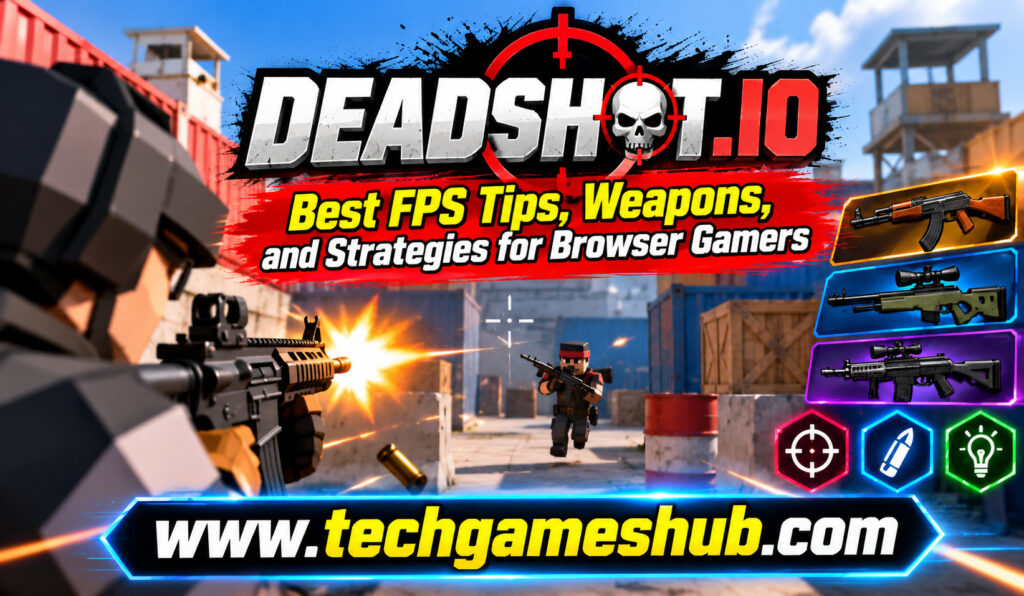
If you enjoy fast-paced shooting games but don’t want to download a large game or invest in an expensive gaming PC, Deadshot.io is worth exploring. This browser-based first-person shooter brings competitive gunplay, quick matches, and multiplayer action directly to your web browser. You can jump into a match, practice your aim, experiment with different weapons, and challenge other players without going through a lengthy installation process.
However, simply entering a match won’t guarantee consistent victories. To improve your performance in Deadshot.io, you need to understand movement, aiming, weapon selection, map awareness, and positioning. Small changes to how you approach fights can make a noticeable difference, especially when you face opponents who already understand the basics of competitive FPS gameplay.
Whether you’re a beginner learning the controls or an experienced shooter fan looking for better strategies, this guide covers the essential Deadshot.io tips, weapon choices, combat techniques, and settings that can help you become a more confident player.
What Is Deadshot.io?
Deadshot.io is a browser-based multiplayer first-person shooter that focuses on fast combat and competitive gameplay. You can access the game through its website and participate in shooting matches without installing a traditional PC game.
The experience is designed around familiar FPS mechanics, including aiming, shooting, movement, and reacting quickly to opponents. Instead of spending hours progressing through a story campaign, you can focus on individual matches and improve through practice.
One of the biggest advantages of Deadshot.io is its accessibility. If you have a compatible computer and a stable internet connection, you can try the game without needing a dedicated gaming console or high-end graphics card. Performance still depends on your browser, hardware, and network connection, so the experience may vary between devices.
Why Is Deadshot.io Popular With Browser Gamers?
Browser FPS games appeal to players who want quick entertainment without lengthy downloads. Deadshot.io follows that approach by making multiplayer shooting accessible through a web browser.
You can use short gaming sessions to practice your reflexes, test different approaches, and learn how to handle opponents. The first-person perspective also makes aiming and positioning important, giving you plenty of opportunities to develop skills over time.
If you enjoy competitive shooters but prefer something lightweight and easy to access, Deadshot.io offers a convenient way to experience browser-based FPS action.
How to Play Deadshot.io
Getting started is straightforward, although the exact interface and available features may change as the game is updated.
Step 1: Open the Official Website
Visit the Deadshot.io website using a compatible desktop browser. Let the game load and follow the instructions displayed on the page.
Avoid downloading unfamiliar files or browser extensions from third-party websites that claim to improve the game.
Step 2: Learn the Controls
Deadshot.io uses familiar keyboard-and-mouse controls. Typical FPS controls include:
- W, A, S, D: Move forward, left, backward, and right.
- Mouse movement: Aim and look around.
- Left mouse button: Fire your weapon.
- Spacebar: Jump, where supported.
- Shift or other assigned keys: Perform additional movement actions, depending on the current control layout.
These are common FPS control conventions, not a guarantee of every default binding in every version of Deadshot.io. Check the game’s on-screen instructions or settings menu for the exact controls.
Step 3: Choose a Match and Practice
Once you’re familiar with the interface, enter an available match or game mode. Spend your first few minutes understanding the map, checking your weapon behavior, and learning how quickly your character moves.
Don’t worry about winning every encounter immediately. Your early goal should be to become comfortable with aiming, turning, moving, and responding when an opponent appears.
Best Deadshot.io FPS Tips for Beginners
Good FPS performance comes from combining accurate shooting with smart decisions. You don’t need perfect aim to start improving; you need consistent habits that help you win more engagements.
1. Improve Your Aim Through Consistent Practice
Aiming is one of the most important skills in Deadshot.io. If you frequently move your crosshair too far past an opponent or struggle to track moving targets, spend time practicing controlled mouse movements.
Try keeping your crosshair around the height where an opponent’s upper body or head is likely to appear. This reduces the distance you need to move your mouse when an enemy enters your view.
Avoid making every adjustment with a large, sudden movement. Small corrections can help you maintain control, particularly when tracking an opponent across a short distance.
Consistency matters more than flashy movements. A comfortable mouse sensitivity that lets you turn quickly without losing control is usually more useful than copying another player’s settings.
2. Keep Moving During Fights
Standing still makes it easier for opponents to line up shots. Movement can make you a more difficult target, especially when you combine lateral movement with well-timed changes in direction.
Use the available movement mechanics to reposition during combat. Strafe from side to side, move behind cover when possible, and avoid remaining in the same exposed location after firing.
However, don’t move randomly just because movement is important. Your goal is to make yourself harder to hit while keeping your crosshair under control. Excessive jumping or unpredictable movement can also make your own shots less accurate, depending on the game’s mechanics.
3. Learn the Maps
Map knowledge can give you a major advantage because it helps you anticipate where opponents may appear.
As you play, pay attention to corridors, open areas, elevated positions, corners, and possible routes between important locations. Notice which areas expose you to several directions and which provide opportunities to take cover.
You should also remember where you encountered opponents in previous engagements. Over time, you’ll become better at predicting where to aim before an enemy enters your view.
4. Avoid Rushing Into Every Fight
Aggressive play can be effective, but rushing without considering your surroundings often leads to unnecessary defeats.
Before entering an open area, think about where an opponent might be positioned. Move carefully through unfamiliar sections and avoid exposing yourself to multiple angles at once.
If you lose a fight because an opponent catches you from the side, consider whether you moved too quickly or ignored a possible approach route. Reviewing these situations helps you make better decisions in future matches.
Deadshot.io Weapons: How to Choose the Right Option
Weapon selection affects how you approach combat. Different weapon types in FPS games typically reward different engagement distances, firing habits, and levels of precision. The exact weapons and their statistics in Deadshot.io should be checked in the current game interface because weapon availability and balance can change.
Choose Weapons Based on Your Playstyle
If you prefer close-range fights, look for weapons suited to quick engagements. These can be useful when opponents appear around corners or move into confined spaces.
For medium-range encounters, a versatile weapon may help you balance firing speed, accuracy, and control. This type of approach can be useful if you frequently move between open areas and corridors.
If you prefer precision, experiment with weapons that reward accurate shots. These may suit players who are comfortable tracking targets and taking time to line up their aim.
Don’t choose a weapon simply because another player appears to be performing well with it. A weapon that suits one player’s movement and aiming style may feel uncomfortable for someone else.
Understand Accuracy and Recoil
When testing a weapon, observe how it behaves during sustained firing. Some weapons in FPS games become harder to control when you fire continuously, while others are better suited to rapid shots or close-range combat.
Experiment with firing in short bursts when appropriate. If your shots frequently miss because your aim drifts, slowing down your firing rhythm may help you maintain accuracy.
You should also consider how quickly you can move your crosshair between targets. A weapon is only useful if you can handle it reliably under pressure.
Don’t Ignore Reloading and Weapon Management
Reloading at the wrong moment can leave you vulnerable. Whenever possible, reload in a relatively safe position rather than waiting until you’re already fighting an opponent.
Pay attention to your weapon’s ammunition and understand how long its reload animation takes. If you need to move between locations, use that opportunity to prepare for the next engagement when it is safe to do so.
Advanced Deadshot.io Strategies for Better Results
Once you understand the basic controls and weapon behavior, you can focus on positioning, timing, and decision-making.
Control Your Positioning
Positioning determines how much of your surroundings you can see and how easily opponents can attack you. Whenever possible, avoid standing in the center of an exposed area without a clear reason.
Use corners, obstacles, and other available cover to limit the directions from which opponents can approach. When you enter an unfamiliar area, look for a route that gives you options to retreat or reposition.
You should also avoid staying in one predictable location for too long. If an opponent knows exactly where you’ll appear, they may prepare for your next move.
Learn When to Attack and Retreat
Not every encounter is worth pursuing. If you have a poor angle, cannot track your opponent accurately, or are caught in an exposed position, repositioning may be a better decision than continuing to fire.
On the other hand, hesitation can allow an opponent to escape or gain a better position. Learn to recognize situations where you have a clear opportunity to attack.
The more you play, the better you’ll become at judging these moments. Focus on making decisions based on what you can see rather than reacting emotionally after losing a fight.
Use Sound and Visual Information
Audio cues can help you notice nearby activity, while visual awareness helps you track movement and identify threats. If the game provides useful sound effects, consider playing with headphones at a comfortable volume.
Avoid letting background music or unrelated audio distract you during matches. Small environmental cues can sometimes alert you to an opponent before you see them directly.
Best Settings for Deadshot.io
The right settings can make the game feel more comfortable and responsive. Instead of copying a professional player’s configuration, adjust your setup to match your equipment and preferences.
| Setting | Practical recommendation |
| Mouse sensitivity | Choose a level that allows accurate tracking and comfortable turning. |
| Graphics quality | Lower demanding settings if you experience stuttering. |
| Display mode | Use the mode that provides stable performance and a comfortable view. |
| Crosshair visibility | Choose a clearly visible option if customization is available. |
| Audio | Keep useful game sounds audible without excessive volume. |
| Key bindings | Use controls that feel natural and easy to reach. |
If the game offers performance options, prioritize smooth gameplay over visual effects that make aiming harder. A stable frame rate can help you react consistently, while an unstable connection may still cause delays even when your graphics settings are low.
You should also test one setting at a time. Changing sensitivity, controls, and visual settings simultaneously can make it difficult to identify which adjustment actually improves your performance.
Common Mistakes to Avoid in Deadshot.io
Many beginners repeat a few habits that make it harder to improve. Recognizing these mistakes can help you build better FPS skills.
First, avoid aiming only after an opponent appears. Keep your crosshair positioned where an enemy is likely to emerge, then make smaller adjustments when the fight begins.
Second, don’t spend every match rushing into combat without observing the map. Aggression is useful when supported by good positioning, but it can become predictable when you ignore possible threats.
Third, avoid changing your mouse sensitivity after every defeat. Give a comfortable setting enough time to become familiar before deciding whether it needs adjustment.
Finally, don’t judge your progress solely by the number of eliminations you achieve. Pay attention to how often you identify opponents early, maintain control while moving, and avoid preventable mistakes.
Frequently Asked Questions
1. Is Deadshot.io Free to Play?
Deadshot.io is accessible through its website, and the browser game has offered free-to-play access. Check the current website for any changes to access, optional purchases, or available features.
2. Can You Play Deadshot.io Without Downloading Anything?
Yes, the game is designed for browser-based play, so you can access it through a compatible web browser without installing a traditional PC game.
3. Can You Play Deadshot.io on Mobile?
The experience is primarily designed around desktop-style FPS controls. Mobile compatibility and touchscreen support may vary, so check the current game interface before relying on a phone or tablet.
4. What Is the Best Weapon in Deadshot.io?
There isn’t one universally best weapon for every player or situation. Your choice should depend on the available weapons, their current balance, your preferred engagement distance, and how comfortably you can aim with them.
5. How Can You Improve Your Aim in Deadshot.io?
Practice tracking moving targets, use comfortable mouse sensitivity, keep your crosshair at a useful height, and focus on controlled movements. Regular practice and learning from missed shots can help you become more consistent.
Conclusion
Deadshot.io offers browser gamers an accessible way to enjoy competitive first-person shooting without installing a large game. Although the controls are easy to understand, improving your performance requires practice, smart weapon choices, and good awareness of your surroundings.
To get better, start by learning the controls and choosing a comfortable mouse sensitivity. Practice your aim, keep moving during fights, study the maps, and select weapons that suit your playstyle. As you gain experience, focus on positioning, timing, and knowing when to attack or retreat.
Most importantly, treat every match as an opportunity to learn. Instead of repeating the same mistakes, pay attention to what went wrong and adjust your approach. With consistent practice and better decision-making, you can develop stronger FPS skills and enjoy more competitive matches in Deadshot.io.